Realmers,
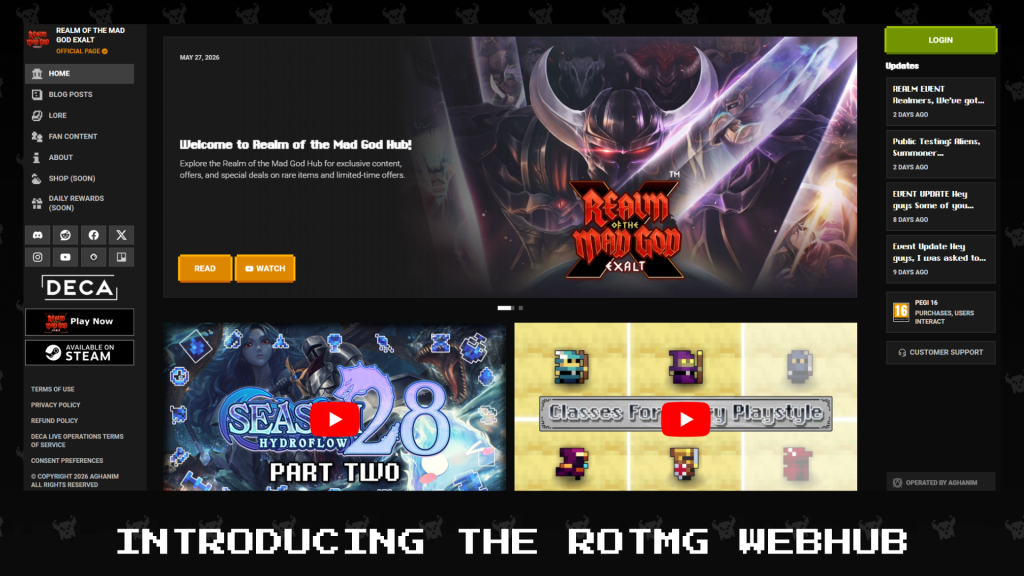
Public Testing is live this weekend for Season 28 Part 2: Shadow of the Legion! Jump in to check out Realm Legions, the Stromwell Rift chain, Dungeon Mod system changes, new Shinies, Battle Pass updates, a bunch of QoL improvements, and more.
Give it a try and let us know what you think before it goes live!
Season 28, Part 2. Shadow of the Legion: The Return of Stromwell
Seems like you’re not the only one working against Oryx’s plans. You’ll cross paths with a powerful rival who’s been stockpiling valuable resources for themselves. If you can overcome their unique abilities and disruptive mechanics, there will be loot waiting on the other side.
From May 5th to June 2nd, 2026, Stromwell rift dungeon portal can be found in dungeons! Each week, different dungeons will be affected by the Rift Chain.


Realm Legions
The Realm is populated with Legion-themed encounters distributed across biome difficulty tiers:
Rookie Biomes
- Legion Survey Camp
Adept Biomes
- Legion Guard Checkpoint
- Legion Excavation Site
- Legion Scouting Party
Veteran Biomes
- Legion Watchtower
- Legion Strategy Center
- Legion Research Base
During the event, extra loot will drop from Legion Elite Bosses.
Acquire powerful Legion Elite equipment equivalent to T13 Weapons, T13 Armors, and T6 Abilities. Power them up even further through their set bonuses and Awakened enchantments, and top it off with the Nightmatter Circlet ST ring from the Stromwell rift mini-dungeon. These items all act as tiered counterparts to the Agent of Oryx items, allowing you to mix and match whichever items you want to best suit your set.

Dungeon Calendar
The list of dungeons is not final and may be subject to change before the final update.
| Week | Dungeons | |
| 1 | Woodland Labyrinth | Lost Halls |
| 2 | The Crawling Depths | Moonlight Village |
| 3 | Puppet Master’s Encore | Kogbold Steamworks |
| 4 | Deadwater Docks | The Shatters |
A Rift chain is the chain of Stromwell Rift dungeons with a growing difficulty. When a dungeon is complete, the Stromwell Rift I, II or III portal will appear based on the dungeon’s difficulty. Once the Stromwell Rift I is completed, the Stromwell Rift II portal has 60% to appear, then the access to the final Stromwell Rift III has also a 60% chance to spawn at the end of the Stromwell Rift II.
- Woodland Labyrinth, The Crawling Depths, Puppet Master’s Encore & Deadwater Docks will drop Rift I portals after boss is defeated
- Lost Halls & Kogbold Steamworks will drop Rift II portals after boss is defeated
- Moonlight Village & The Shatters will drop Rift III portals after boss is defeated
Each tier increases the reward quality to finally get the chance to get a chance for a Nightmatter Circlet ring.

Shadow of the Legion Changes
- Stromwell portal rates increased slightly so it’s easier to access higher tiers
- Adept legion elite setpiece bosses have had their movement speed lowered
- Legion Lead Strategist now has a failsafe so if it gets stuck, after a bit, it will unstuck
- Dungeons with difficulty 5.5 now drop Stromwell’s Rift I
Community Contest
Engage with the Legion enemies in dungeons or the Realm to complete missions. Completing these missions will increase the progression of one of the factions and unlock its reward tiers.
Join the Community Contest to unlock rewards!
Please note that the Mission Tree and Community Contest features are currently a Work in Progress (WIP). Feedback and/or suggestions regarding any changes are welcomed and appreciated. The updated tree and contest will be active after 25th April 10 UTC.

Legion of Oryx Collection Chest Update

Newly added Legion Druid Skin

Find Oryx Collection Chest to get the opportunity to get the Legion Druid version. You can also obtain other class skins to complete skins missed the last time.
The skin will be available in the incoming release.
Battle Pass and Missions

Complete newly added missions to get Legion Elite Equipment, Oryx Collection Chest Update, new emotes, new titles, progress in the battlepass and quality of life items.

New Shinies

From the left to the right:
- Omnipotence Ring,
- Ring of Cubed Wisdom,
- Sharktooth Sigil,
- Maw of Malignance,
- Cackling Straitjacket,
- Wakizashi of Crossing Fires
Dungeon Modifiers
Dungeon Mods System Changes
Dungeon mods as a system was built some time ago and then left alone for quite a while with little to no improvements. Modded dungeons were almost pointless to run unless they explicitly made content easier or had one of the few good reward mods. Most times finding an S grade dungeon would just make a dungeon harder with almost no gain to the player. You also were finding these harder S dungeons much more often on dungeons that were already hard to do, making the situation even worse. We are addressing all of this and some more things with a new series of changes to the dungeon modifier system.
New mods have been made, some using new modifier types, and some combining multiple old modifier types in various forms. We are planning to add more and more dungeon unique mods in future updates as well.
Dungeon mods are now considered one of four types, Standard, Unique, Reward, or Dungeon Uniques. A modded dungeon can have any number of Standard mods but only one of each of the other categories.
All modifiers now come with a reward boost, this can be loot, XP, or Dust boosts or a combination of them. The types and rates are roughly based around the difficulty of the mod so harder dungeons should be more rewarding.
Mods now roll similar to enchantments using a Label and Weight system, this allows us to control the individual rarity and compatibility of mods.
As we can now more specifically control mod rarity, most mods that had a chance to give some reward, like exaltation banners or generous, now always give that reward.
Many mods that were previously considered reward mods but didn’t explicitly give a reward are now classified as unique mods and wont block the dungeon from having a proper reward mod. This includes things like wanderer, prismimic, or spider swarming.
Reward mods that aren’t that inherently rewarding will have higher other boosts.
Mods that impact enemy patterns and behaviors like projectile speed or fire rate have been removed. Mods that impact difficulty directly like damage or hp have been added back, but come with proper rewards.
The rates of dungeon mods on natural dungeon drops have been standardized across all dungeons, this means any dungeon has the same chance of getting a D or S grade, skewing towards lower grades with less mods, as more mods inherently means more rewards now. S grade dungeons should be rarer to find, difficult, but also with high enough rewards to make them worth doing.
Standard mods now all have 4 tiers with each tier providing a greater effect and greater reward.
D and C grade dungeons have 1 mod slot, B 2, A 3 and S 4. In addition D grade dungeons cannot roll higher tier mods, while S grade dungeons cannot roll tier 1 mods.
You can now lock modifier slots in key rerolling, but this increases the cost of a reroll per slot by a flat amount based on the key.
New Dungeon Mods
With a new mod system we are also introducing a few new mod types that can help build out the pool and make dungeons more varied. These mods can be found in both positive and negative forms. More types and more mods are likely to come in the future.
- Healing/Mana recovery modifier mods
- % current health and maximum health damage
- Stat altering mods, for example a dungeon might give you more dex but less Att.
Grade Representation
Dungeons can have different grades, and depending on the grade, both the number and type of mods can change. To represent this, each grade has been assigned a new specific color and icon.

- No grade: Gray
- Grade D: Green
- Grade C: Blue
- Grade B: Purple
- Grade A: Yellow
- Grade S: Magenta
For keys, the icon appears in the bottom-right corner of the inventory or chest slot, and it features a glow in the corresponding grade color around the sprite.

This element is also displayed next to the name of the portal or key when its tooltip is open. In this case, the icon additionally includes the letter corresponding to the grade on top.

Dungeon Mod Layout
Each mod is assigned to a specific slot within different UI sections. All mods include a title and a description, though some elements may vary depending on the case.
Mod Types
There are four types of dungeon mods. Each type is visually identified by a unique outline color and an icon displayed before its name:
- Dungeon Special Mod
- Color: Holographic
- Icon: Spark / Star
- Reward Mod
- Color: Gold
- Icon: Gift
- Unique Mod
- Color: Silver
- Icon: Diamond
- Normal Mod
- Color: Gray
- Icon: None

Bonuses
Individual dungeon mod bonuses such as loot, dust, or XP are displayed to the right of the title. These bonuses appear between brackets [ ]. If no bonus is present, the element is not shown.

Updated UI
Tooltips
Since the grade colors were updated, the tooltips have been updated as well with these new colors and elements. The dungeon mods now appear with their new visual representation inside a section titled Dungeon Mods. Below the title of the section, the keybinds to open the refine UI are shown when it is a key tooltip. At the bottom right of the mods section, the total sum of bonuses is displayed, if any are present.

Refine Key UI
The key refine UI has been completely redesigned, this UI can be accessed from the key. The screen is divided into different sections, one focused on the grade and another on the dungeon mods. In this screen, several actions can be done:
Lock/Unlock mod
In the list of mods, each one can be locked or unlocked. Locked mods are not affected by rerolls and remain unchanged. When a reroll is performed, if a mod is locked, it maintains its locked state.

Reroll mods
All unlocked dungeon mods in the list are changed.

Upgrade key
Increases the key’s grade. It is no longer possible to go back to a previous grade. When upgrading, any unlocked mods are modified.

Sounds. The new Dungeon Modifier UI has brand new sound effects created by ENNWAY.
Adding a nice touch to the new animations like upgrading and rerolling keys.
Dungeon Events Representation & Interaction
Dungeon event mods will now appear as a single slot. This mod cannot be rerolled, its state is always locked, and it will remain available for the duration of the event. It does not affect the number of Dungeon Mod slots associated with the dungeon grade. Since this is considered an extra and separated slot, the price of the reroll/upgrade is not affected by this locked mod.
Information about event modifiers is displayed in the game UI, such as tooltips and the new refine screen. In the refine screen, it appears first in the list. This mod’s visual representation and the dungeon event stats modifiers have also been updated.


Dungeon Credits
Due to the excessive length of the key tooltips and their descriptions, which made important information impossible to see, it has been decided to remove dungeon credits from the keys.
Now, in addition to being shown on the credit screen in the pause menu, a new icon now appears in the top left corner to indicate that a dungeon is community-made.

Once inside the dungeon, if it includes credits, a button with the same icon will appear next to the minimap. Hovering over this button displays a panel with the dungeon’s credits. This makes sure that credits are always visible within the dungeon itself, rather than only on the keys, especially since dungeons dropped in the Realm did not previously display them.


QoL
In this release, various aspects have been addressed to improve the game experience, including bug fixes and the addition of new features or interactions.
Favourite Active Characters
A new star button has been added to the character selection screen, this is the new “Favorite” system to make it easier to find characters when there are many available. Favorite characters are pinned to the top of the list (below the currently active character) and can no longer be deleted to prevent accidental loss. When no order filter is active, favorites remain pinned at the top, if a filter is applied, they follow the filter’s order. Multiple favorites are sorted among themselves at the top.

Other
- Updated potion dungeon drop information in the potion rack tooltip.
- The default opacity options value for new players is 50%.
- If an equipment has a charge bar and it is full, a flash effect has been added to the ability icon to indicate that it can now be used. In case of the druid, the yellow slot outline has been deleted.
- The enchanter map icon has been added to the vault’s minimap.
- HP potions can no longer be consumed while sick, preventing them from being wasted under this status.
- Game resolution should remain unchanged after a reload, preserving the previously selected settings.
- Added new music to The Third Dimension, Fungal Caverns, and Crystal Cavern.
- Now Level 1 players do not see Elder Sprite Tree Quest in the Realm.
- Fixed the misaligned Ase’s Echo icon from Ice Citadel by correcting the sprite’s positioning, which was previously slightly offset.
- Beer God is now considered a Veteran Encounter when completing missions.
- Fixed multiple description spelling errors across various items.
- Death Morels enemy is now using its proper regular sprite instead of the Christmas one.
- Placing the cursor on dungeon callouts doesn’t cause the character to stop shooting.
- Updated the pet overview so pet names now display the correct tier color and are properly centered.
- Druid ST weapon now has a Forge value, and it’s visible in the tooltip in the forge menu.
- Tiered Sigils can now be forged. All regular tiers of sigils, including SB versions, are now usable to forge T6 abilities.
- The ST Druid Sigil now uses purple dust instead of red.
- Lost Sentry now gives Purple Dust instead of Red Dust, and Beer God now also gives Purple Dust.
- Oryx Horde Statue in Mad God Mayhem now always has positive HP and can no longer be killed too quickly.
Known Issues
- The Legion Lead Strategist fails to move back to the center of the setpiece
- Shiny items do not have a shine animation + shiny icon
- Ring of Omnipotence Shiny cannot be created
- Extra mods are added upon locking all mods and upgrading the key
- Boss health bar overlaps the dungeon credits icon
- Pin Favorites has text issues in on-hover tooltips
- Key shine Animation is appearing on Sigils


